Data Importation
Lecture 9
Duke University
STA 199 Summer 2026: Session 2
Adapted from slides by Mine Çetinkaya-Rundel, Katie Solarz & John Zito
July 13, 2026
Administrative Details
-
Midterm this Thursday!
Practice + some review tomorrow in class
Practice questions and solutions for both the multiple choice & free response of the exam posted
Ways to study? Questions above, make your cheat sheet independently, lab 3.
-
Lab 3 today
- This will be a shorter than usual lab & is meant to serve as a recap of all we’ve learned so far (aka, helpful exam prep!)
Administrative Details
-
Project work begins this week!
Friday’s lecture will function as a lab meeting.
You will receive your team assignments (2 groups of 3, 2 groups of 4) this Friday
As a reminder, projects are completed in groups BUT grades are individual; your final project grade may ultimately differ from your teammates’ if there is unequal participation
Participation is measured by 1) lab attendance on project work days; 2) commit history in project repos on GitHub; 3) peer review forms
AE Credit
Remember in order to get credit for a day’s AE, you must be both present AND commit push at least once.
80% of AEs starting from second week to get full credit.
Let’s zoom out for a second
Data science and statistical thinking
Before Midterm 1…
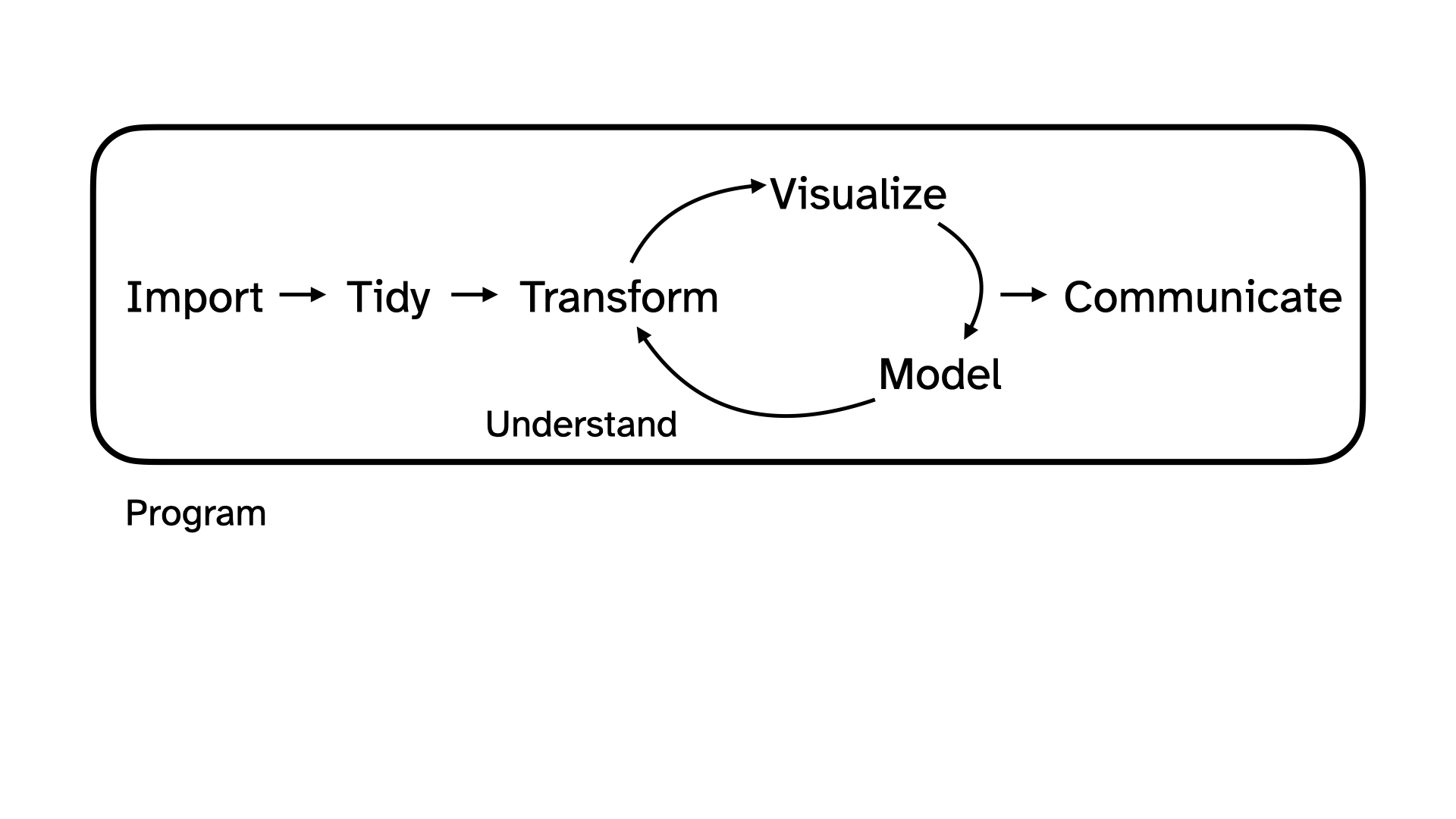
- Data science: the real-world art of transforming messy, imperfect, incomplete data into knowledge;
After Midterm 1…
- Statistics: the mathematical discipline of quantifying our uncertainty about that knowledge.
Data science
Data science
- Collection: we won’t seriously study data collection (take an experimental design class if you are interested!); we will discuss data importation methods today
-
for the purposes of this class: accessing package data (
library();df <- library::df), data importation (read_csv,read_xlsx,read_xls) - in reality…: web-scraping, domain-specific issues of measurement, survey design, experimental design, etc.
Data science
- Collection: we won’t seriously study data collection; we will discuss data importation methods today
- Preparation: cleaning, wrangling, and otherwise tidying the data so we can actually work with it.
-
keywords:
mutate,fct_relevel,pivot_*,*_join
Data science
Collection: we won’t seriously study data collection; we will discuss data importation methods today
Preparation: cleaning, wrangling, and otherwise tidying the data so we can actually work with it.
- Analysis: finally, transform the data into knowledge…
-
visual summaries:
ggplot,geom_*, etc. -
numerical summaries:
summarize,group_by,count,mean,median,sd,quantile,IQR,cor, etc. - The visualizations and the summaries should complement one another!
Reading data into R
Package data
When data is neatly stored in a package, such as tidyverse, loading the package loads the dataset; you can explicitly save a packaged df to your RStudio environment by running
df <- library::dfMost often, this is not the case
Reading in rectangular data
Reading rectangular data
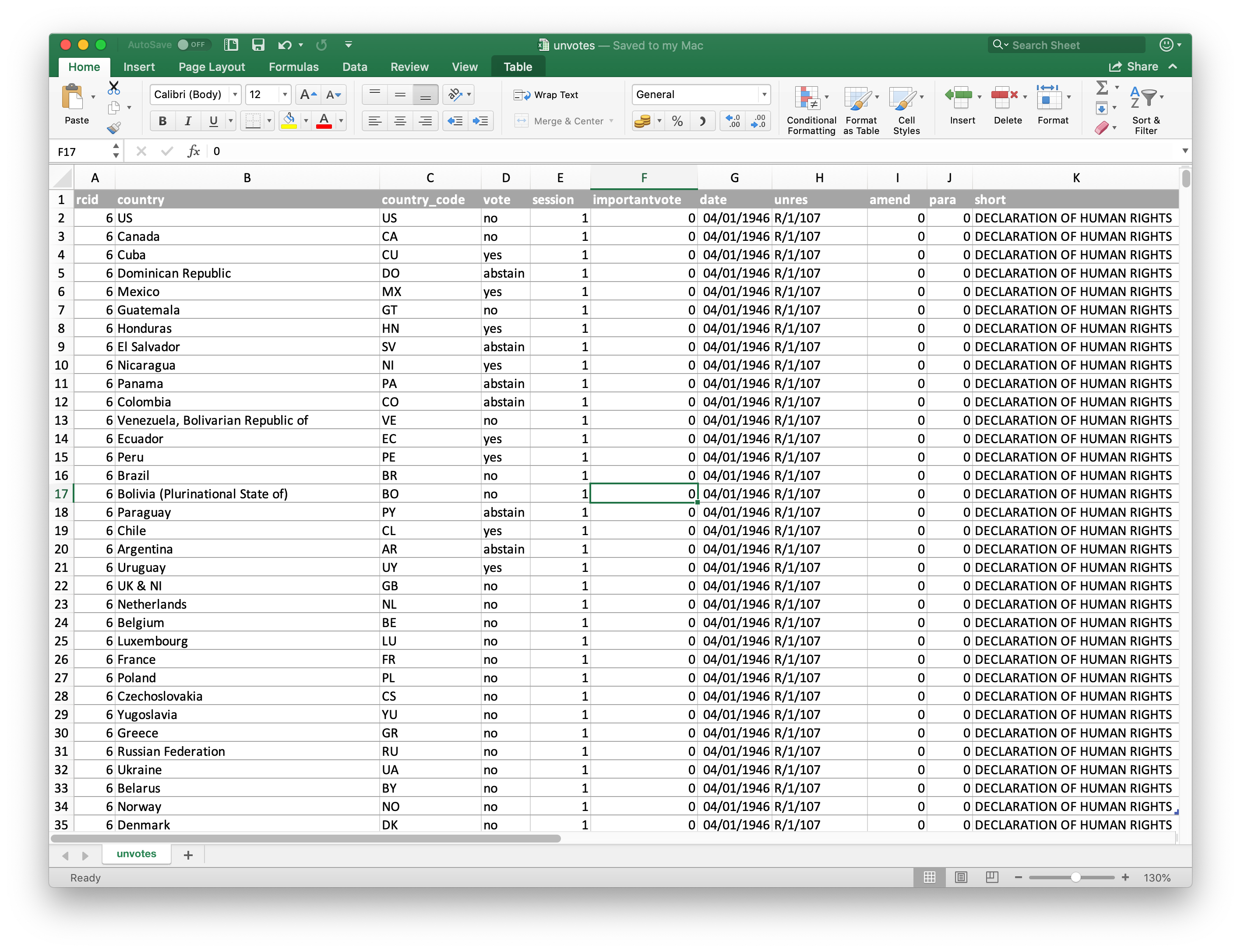
- Using readr: (in tidyverse)
- Most commonly:
read_csv()- file saved as.csv - Maybe also:
read_tsv(),read_delim(), etc - other file formats
- Most commonly:
- Using readxl:
-
read_excel()- R determines file type for you -
read_xls(),read_xlsx()- use if you know whether you have a .xls or .xlsx file
-
-
Using googlesheets4:
read_sheet()– we haven’t covered this in the videos, but might be useful for your projects- Fun fact: The “Schedule” page on the course website pulls information from an underlying Google sheets file
Using read_csv()
Generally, the format is:
Path to file
For example, recall we worked with durham-climate.csv in AE08. Where is durham-climate.csv?
When in our AE repo, we read in the data with the following code:
Path to file


use
/to separate folder(s) + file names; file path in quotesAnswer:
read_csv("data/durham-climate.csv")
Why not include ae-joshlim789?
Where is durham-climate.csv?

We can also write files!
This allows us to save data for later usage, share data outside of R, etc.
Using write_csv():
Goal 1.1: Reading and writing CSV files
Read a CSV file with tidy data
Split it into subsets based on features of the data
Write out subsets as CSV files
Goal 1.2: Practice - Case When
-
case_when()is similar toif_else(), but allows multiple cases -
case_when()is often used withinmutate()to create a new column
An aside - If Else
case_when()is similar toif_else(), butif_else()only allows for 2 cases / conditionsLong story short… use
if_else()if you are only considering 2 cases / conditions; for > 2 conditions, usecase_when()In words, we’d read the code below as: “If logical_1 evaluates to TRUE (i.e., this condition is met), then choose result_1; else (i.e., this condition is not met), choose result 2
Age gap in Hollywood relationships

Goal 2.1: Reading Excel files & non-tidy data
Read an Excel file with non-tidy data
Tidy it up!
Goal 2.2: String Functions
We’ve seen lots of functions that deal with numeric data (mean, median, sum, etc.) - what about characters?
stringr is a tidyverse package with lots of functions for dealing with character strings
today: str_detect in stringr

Goal 2.2: String Functions
str_detect() identifies if a character / sequence of characters is a substring within a longer string
-
useful in cases when you need to check some condition, for example:
in a
filter()in an
if_else()orcase_when()
Goal 2.2: String Functions
str_detect() identifies if a character / sequence of characters is a substring within a longer string
-
useful in cases when you need to check some condition, for example:
in a
filter()in an
if_else()orcase_when()
example: which classes in a list are in the stats department?
Goal 2.2: String Functions
General form:
Sales data

Are these data tidy? Why or why not?
Sales data
What data tidying must be done to go from the original, non-tidy data to the below tidy version of these data?